CKA를 준비하면서 공부한 요약 내용입니다.
Docker Storage
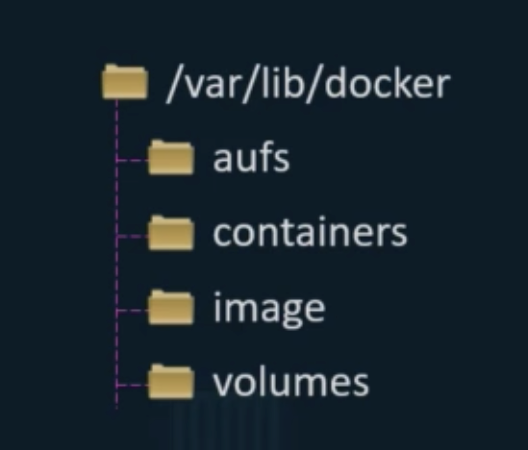
File system
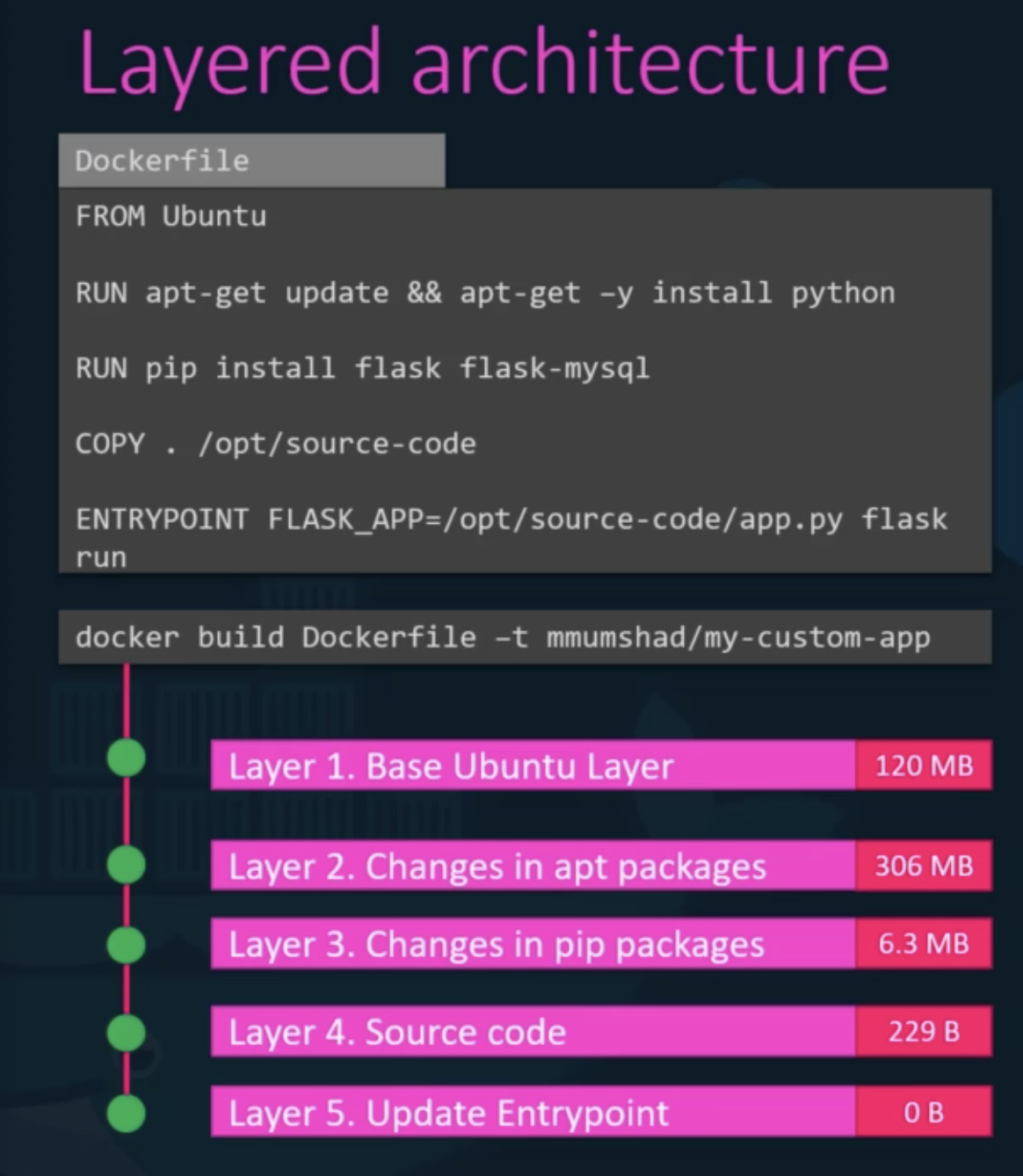
Layered architecture
- build
- application 1
- application 2
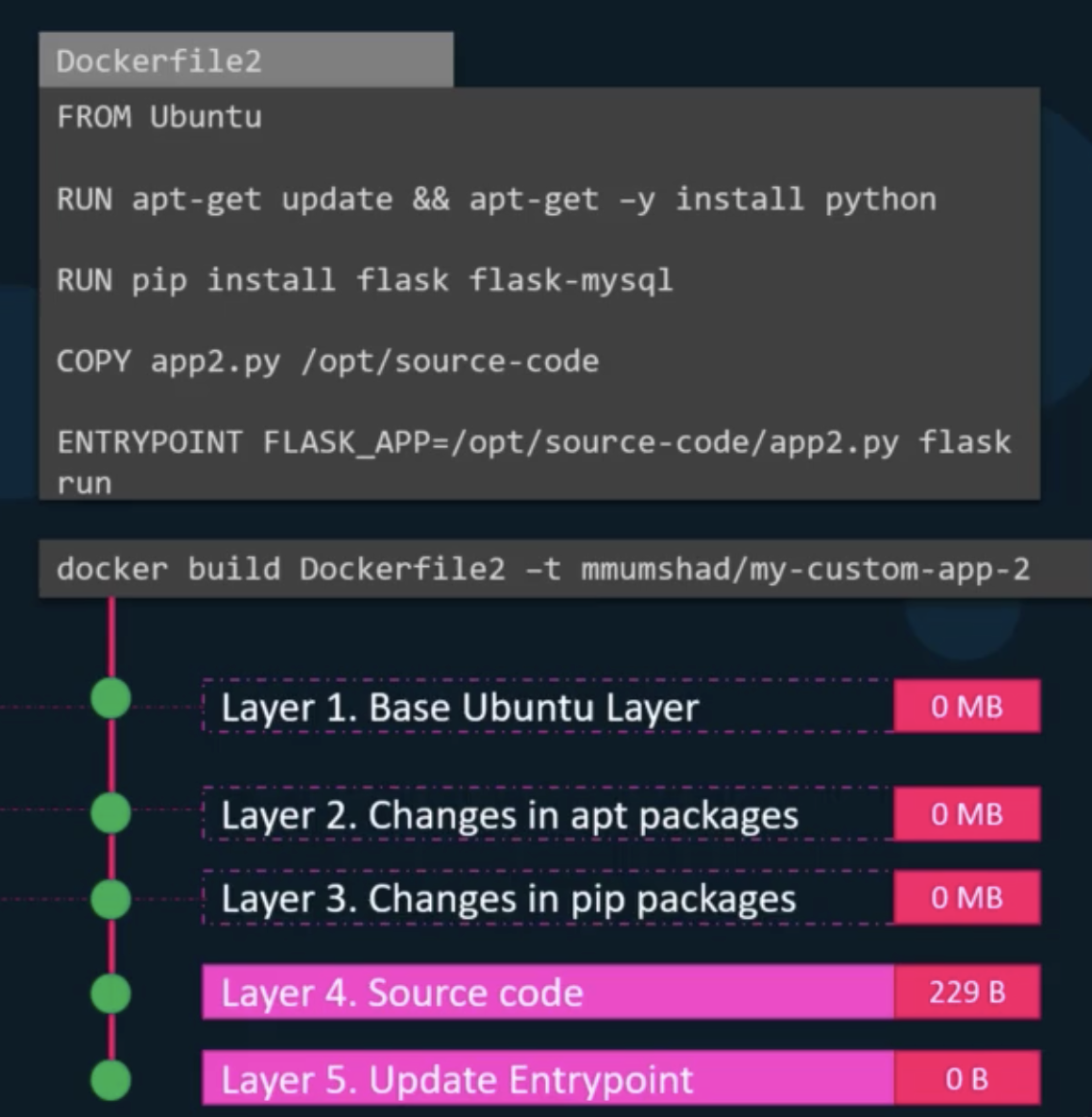
- application 1
- run
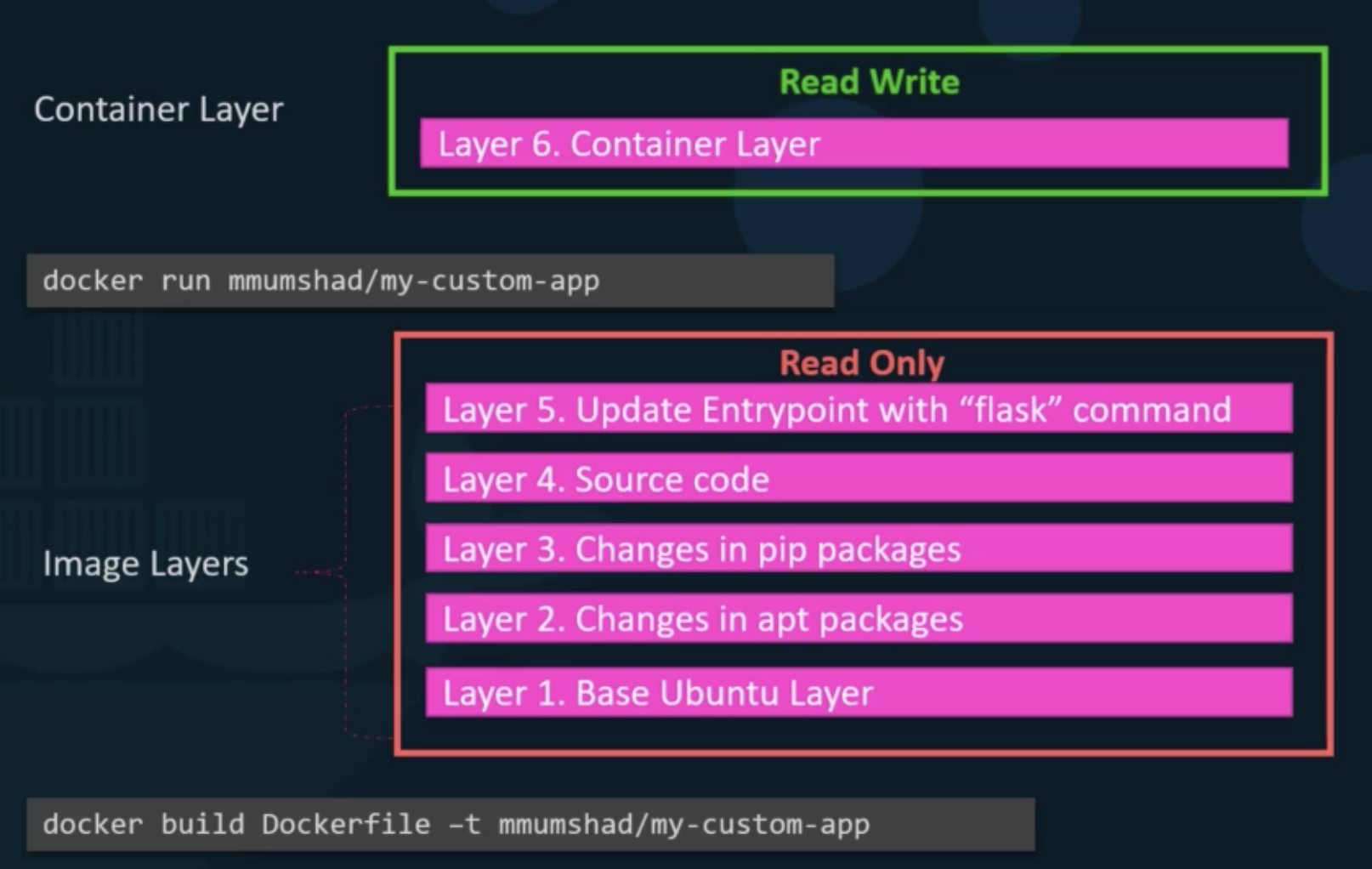
- copy-on-write
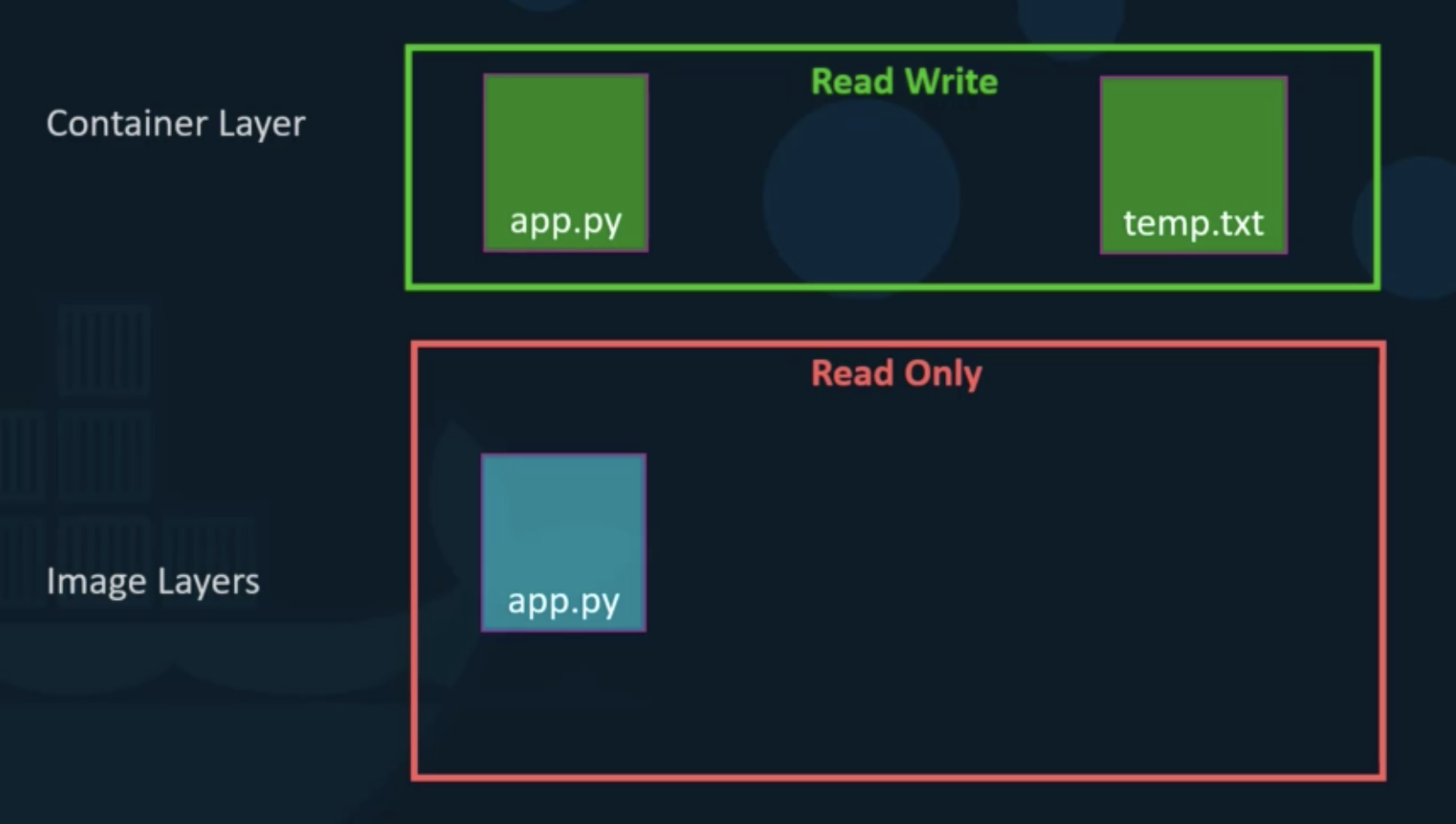
Volumes
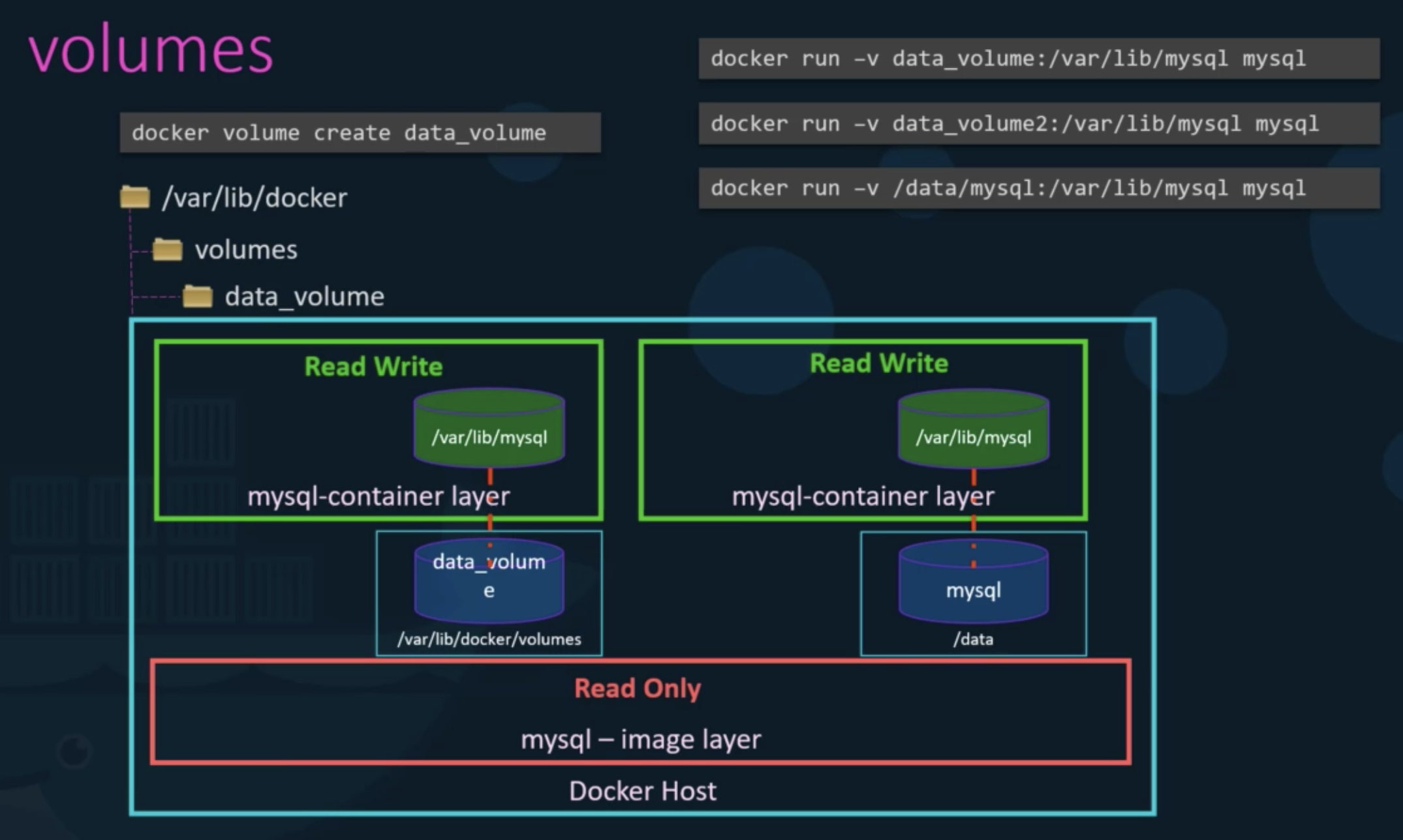
Volume mounting
- create and run
- create
docker volume create data_volume
- run
docker run -v data_volume:/var/lib/mysql mysql
- create
- create by run
docker run -v data_volume2:/var/lib/mysql mysql- automatically create data_volume
Bind mounting
docker run -v /data/mysql:/var/lib/mysql mysql
Preferred
- old
-v
- new
--mountdocker run --mount type=bind,source=/data/mysql,target=/var/lib/mysql mysql
Storage drivers
- AUFS
- ZFS
- BTFS
- Device Mapper
- Overlay
- Overlay2
Volume Drivers
- Local
- Azure File Storage
- Convoy
- …
Volumes
- docker
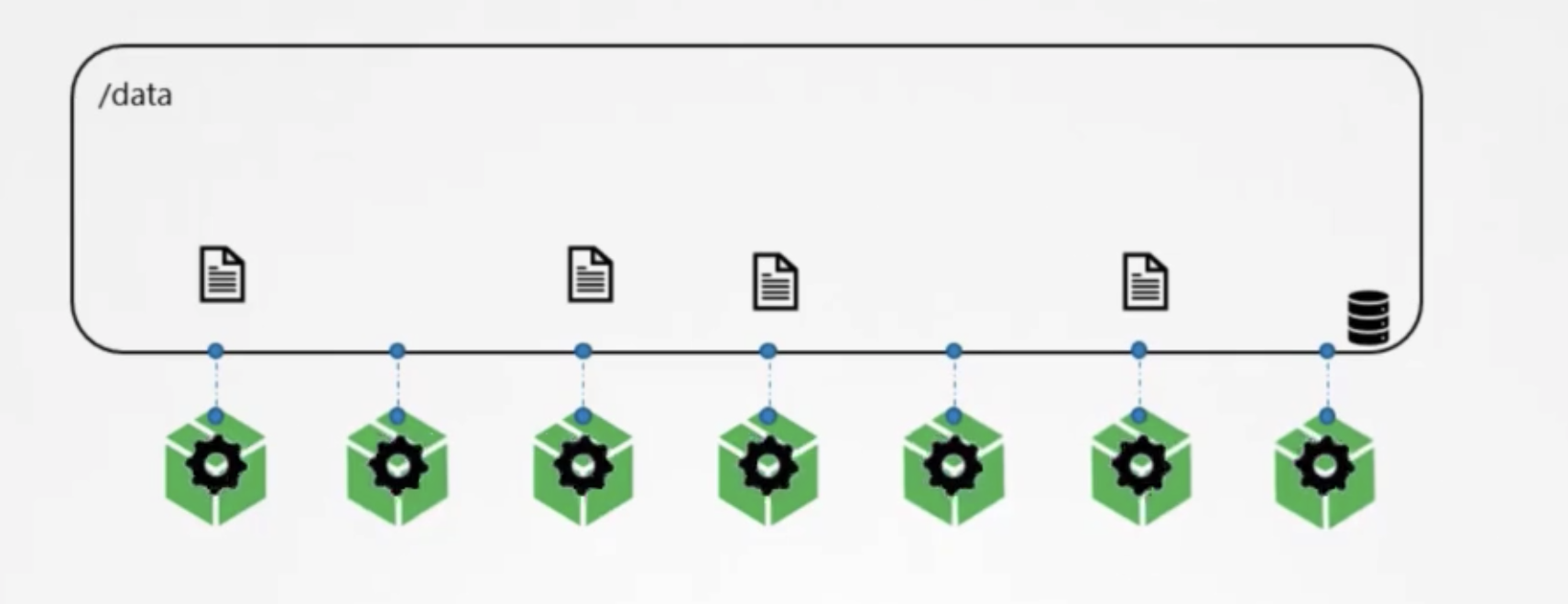
- k8s
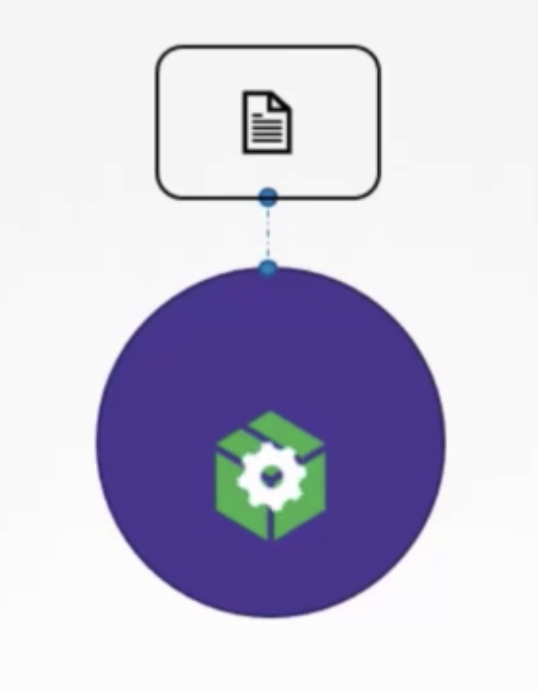
Volumes & Mounts
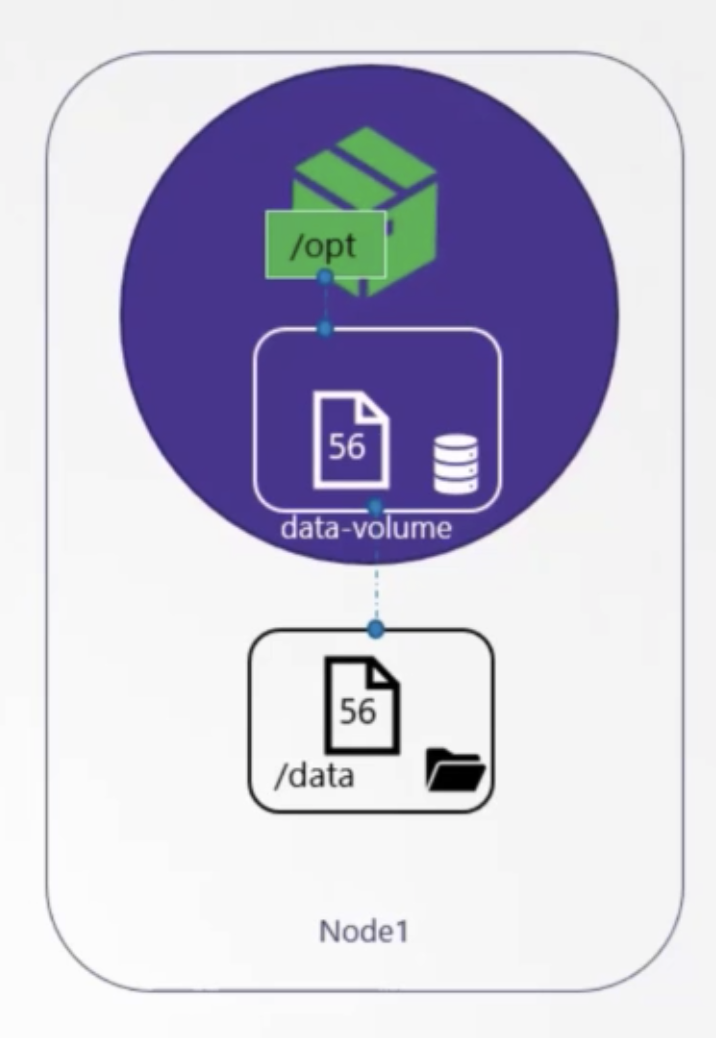
definition
1 2 3 4 5 6 7 8 9 10 11 12 13 14 15 16 17 18apiVersion: v1 kind: Pod metadat: name: random-number-generator spec: containers: - image: alpine name: alpine command: ["bin/sh", "-c"] args: ["shuf -i 0-100 -n 1 >> /opt/number.out;"] volumeMounts: - mountPath: /opt name: data-volume volumes: - name: data-volume hostPath: path: /data type: Directory- hostPath
- → single node is possible
- → not recommended in multi node
- AWS
1 2 3 4 5volumes: - name: data-volume awsElastricBlockStore: volumeID: <volume-id> fsType: ext4
- hostPath
Persistent Volume
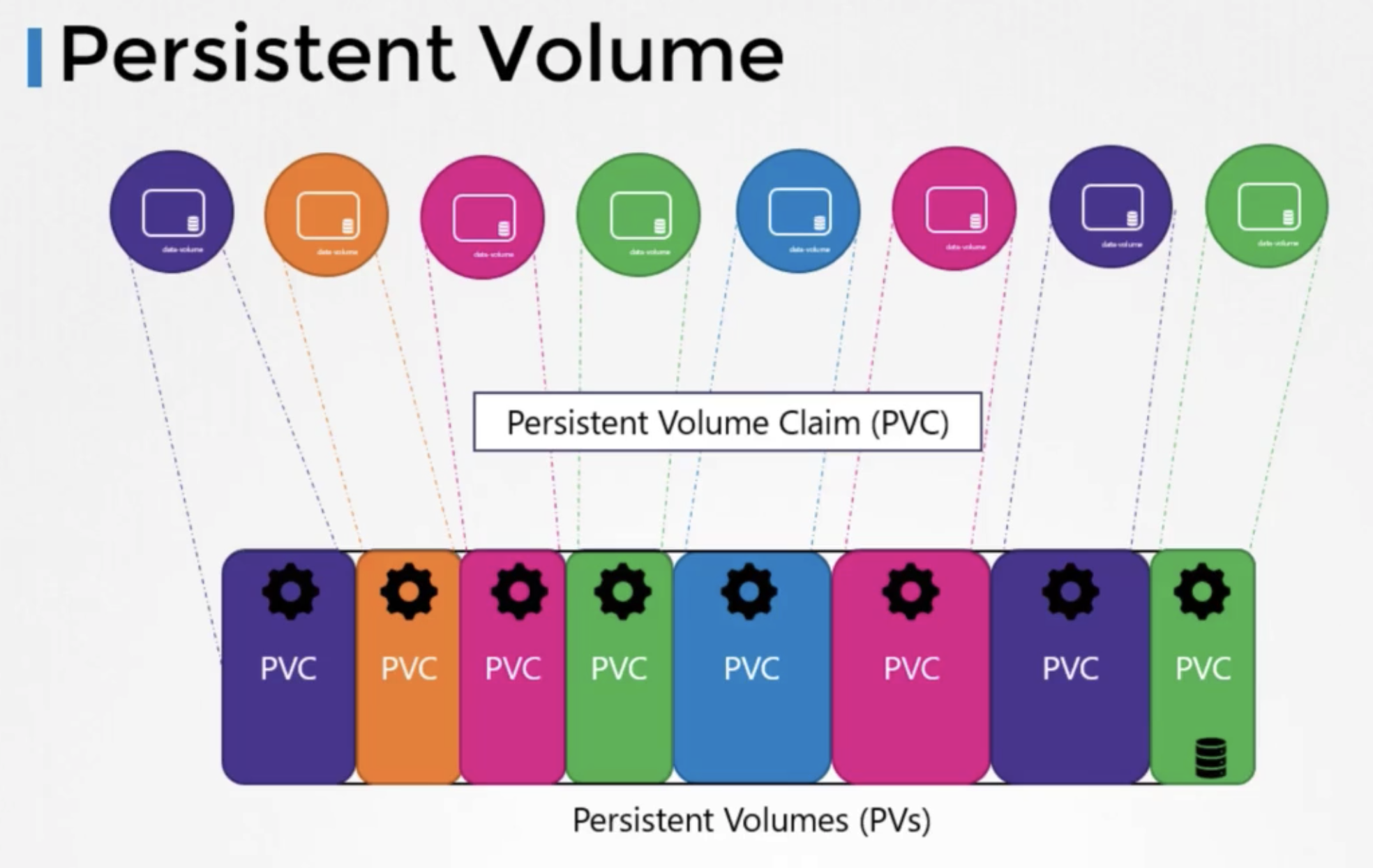
생성
- definition
1 2 3 4 5 6 7 8 9 10 11 12apiVersion: v1 kind: PersistentVolume metadata: name: pv-vol1 spec: persistentVolumeReclaimPolicy: Retain accessModes: - ReadWriteOnce capacity: storage: 1Gi hostPath: path: /tmp/dataaccessModesReadOnlyManyReadWriteOnceReadWriteMany
persistentVolumeReclaimPolicydeleterecycleretain
상태
kubectl get persistentvolumekubectl get pv
Persistent Volume Claims
- Persistent Volume
- administrator crates
- Persistent Volume Claims
- users create to use persistent volume
생성
- definition
1 2 3 4 5 6 7 8 9 10apiVersion: v1 kind: PersistentVolumeClaim metadata: name: myclaim spec: accessModes: - ReadWriteOnce resources: requests: storage: 500Mi
상태
kubectl get persistentvolumeclaimkubectl get pvc
삭제
kubectl delete persistentvolumne myclaim
Pod with PVC
생성
- definition w\ hostPath
1 2 3 4 5 6 7 8 9 10 11 12 13 14 15 16 17 18 19 20 21apiVersion: v1 kind: Pod metadata: name: webapp spec: containers: - name: event-simulator image: kodekloud/event-simulator env: - name: LOG_HANDLERS value: file volumeMounts: - mountPath: /log name: log-volume volumes: - name: log-volume hostPath: ## directory location on host path: /var/log/webapp ## this field is optional type: Directory - definition w\ PVC
1 2 3 4 5 6 7 8 9 10 11 12 13 14 15 16 17 18 19apiVersion: v1 kind: Pod metadata: name: webapp spec: containers: - name: event-simulator image: kodekloud/event-simulator env: - name: LOG_HANDLERS value: file volumeMounts: - mountPath: /log name: log-volume volumes: - name: log-volume persistentVolumeClaim: claimName: claim-log-1
Storage Class
상태
kubectl get storageclasskubectl get sc